What it looks like in the Shortcuts app
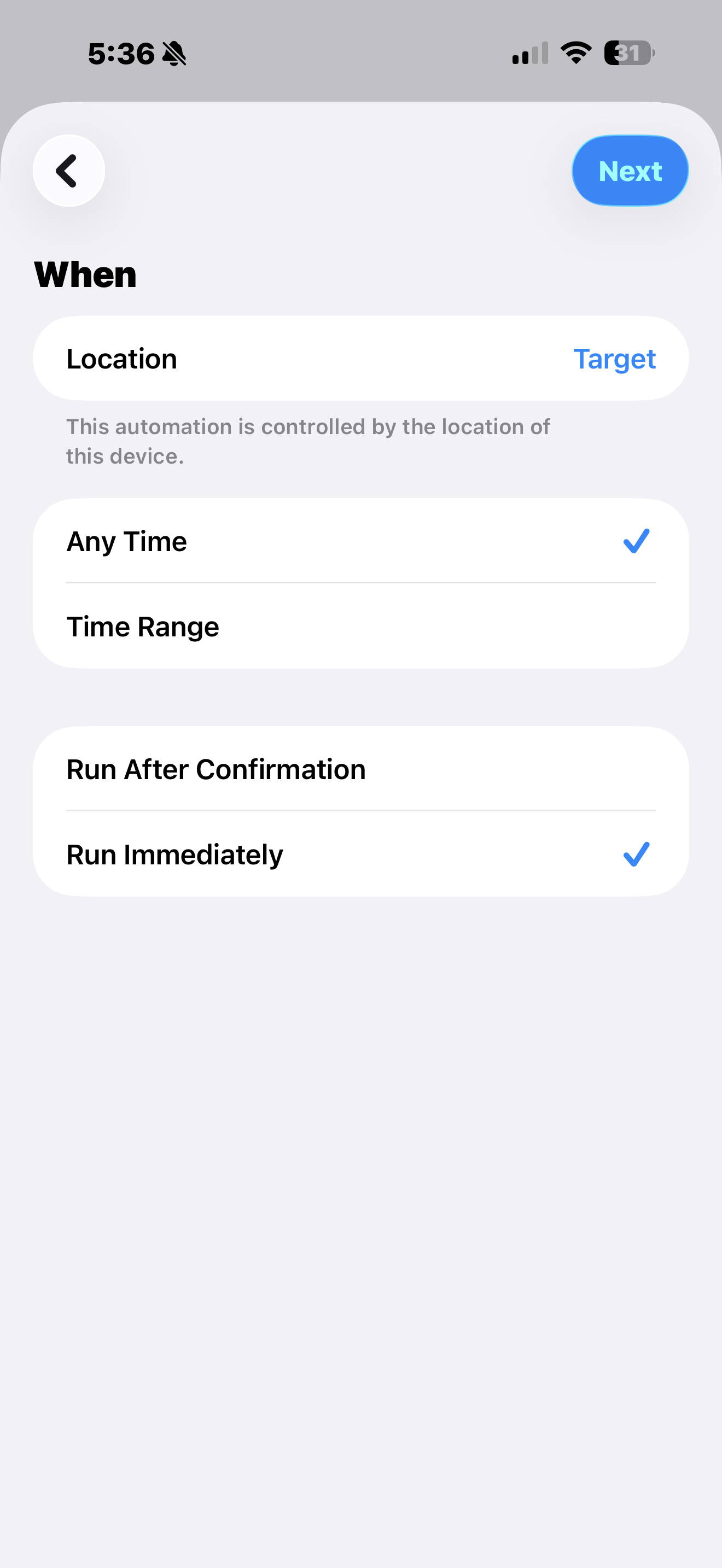
Step 3 · Arrive trigger
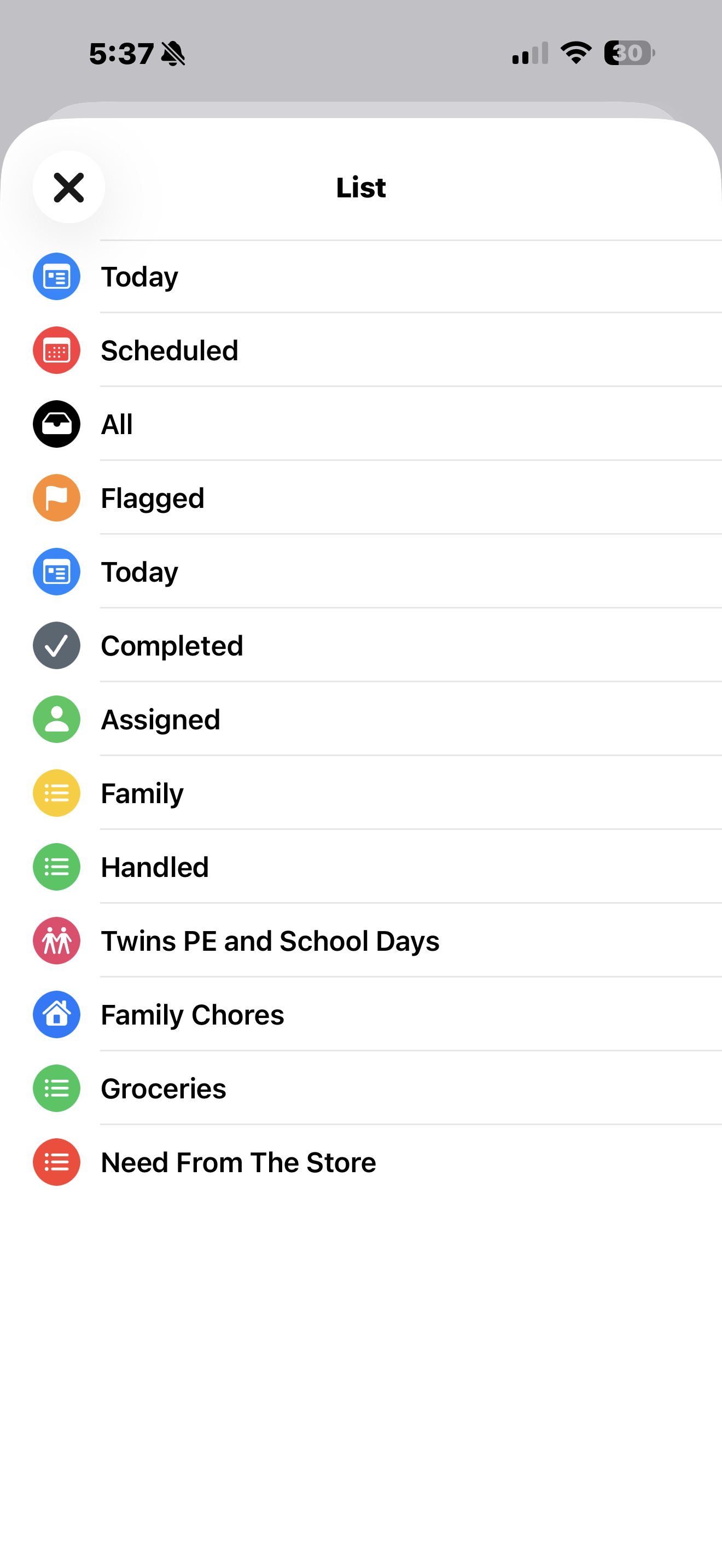
Step 4 · Open List action
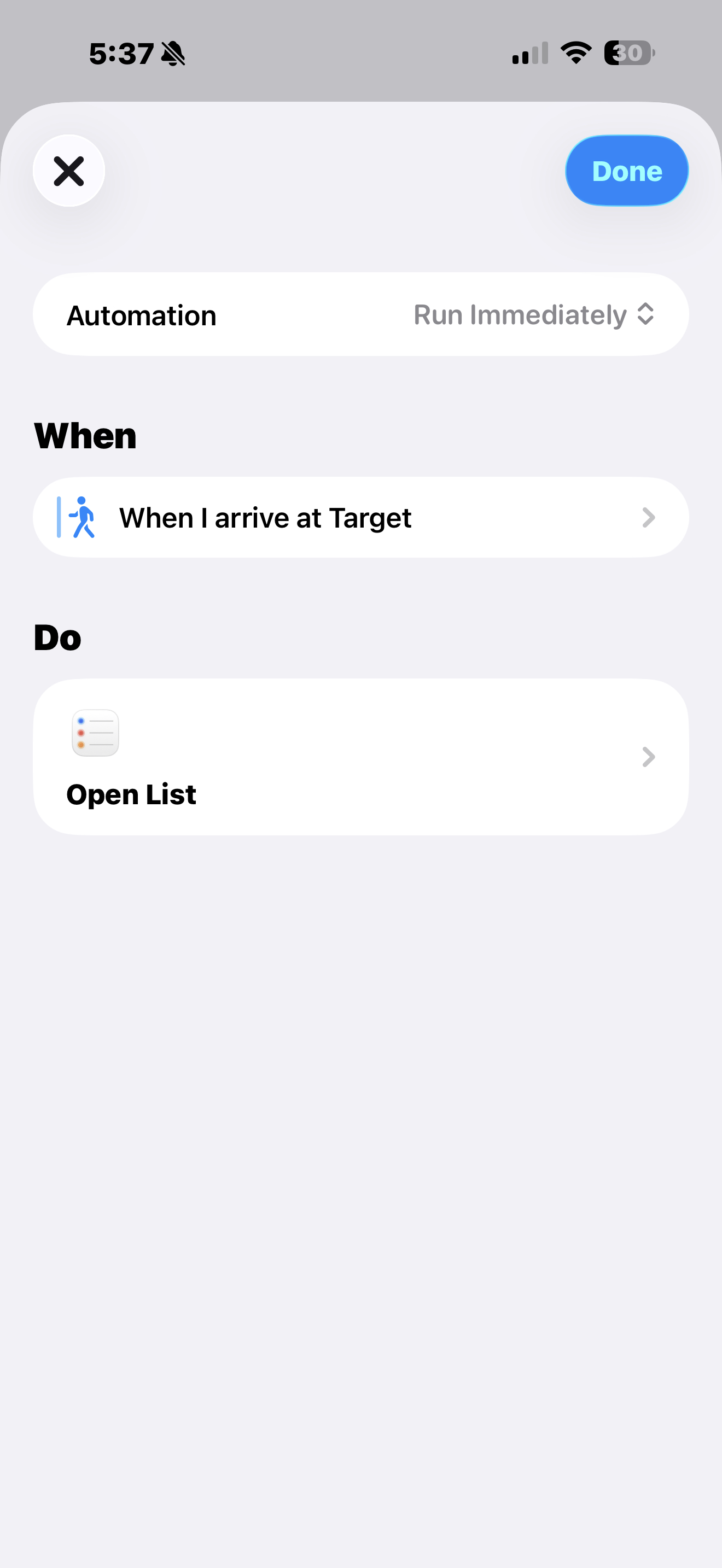
Finished automation
Stop walking out with the chicken and forgetting the milk. This free iPhone automation pulls up your grocery list automatically when you arrive at the store, no app, no subscription, 5 minutes to set up.
The setup is below, no email needed. But if you want a link to these instructions in your inbox so you can come back to it later, drop your email and I'll send it over.
No spam. Unsubscribe anytime. Setup is below either way.
This is a Personal Automation in the iPhone Shortcuts app, it runs automatically, no tapping required. Here's exactly how to build it.
Open the Reminders app and make sure you have a list for grocery items. Name it whatever makes sense for you, "Groceries," "Need From The Store," anything you'll recognize.
💡 Add items to this list throughout the week as you think of themOpen the Shortcuts app on your iPhone. Tap the Automation tab at the bottom of the screen. Then tap New Automation (or the + in the top right).
Choose Arrive from the list of triggers. Tap Location and search for your grocery store's address. Set the blue circle so it covers the parking lot. Then select Run Immediately, this is essential so it fires without you having to tap anything. Tap Next.
⚡ "Run Immediately" is the key, don't skip thisTap New Blank Automation, then Add Action. Search for Reminders and select Show Reminders List. Tap the "List" placeholder in the action and choose your grocery list. Tap Done.
You can set this up for Target, Walmart, Kroger, Costco, any store you visit regularly. Each one gets its own automation pointing to the same grocery list. Drive near the store? List opens. That's it.
🏪 Set it up for 2–3 stores and you're set for life
The full Automation Kit is a one-time $29 setup that gets your calendar, your reminders, and your lists running the household, the same system we run with seven people. The grocery list is one piece of it. Every piece comes with step-by-step setup, so you build it once and it holds.
One-time · No subscription · Instant access
Want the family side too? The Complete Family OS adds the chore, routine, and weekly reset systems on top of the kit, for $45.