New · Your alarm says the time
Your alarm goes off, and it says the time.
What it does: every time an alarm goes off, your phone says the time out loud. Half asleep you knows right away whether to go back to sleep or get up, without opening your eyes or reaching for the phone.
The steps
Tap the link below on your iPhone and tap Add Shortcut. There are no questions. It arrives set to any alarm, the moment it goes off.
Get the alarm time shortcut
Open it from your library. If you see a summary with a Describe a change box, tap Edit in the top right. The first block reads When Any Alarm Goes Off.
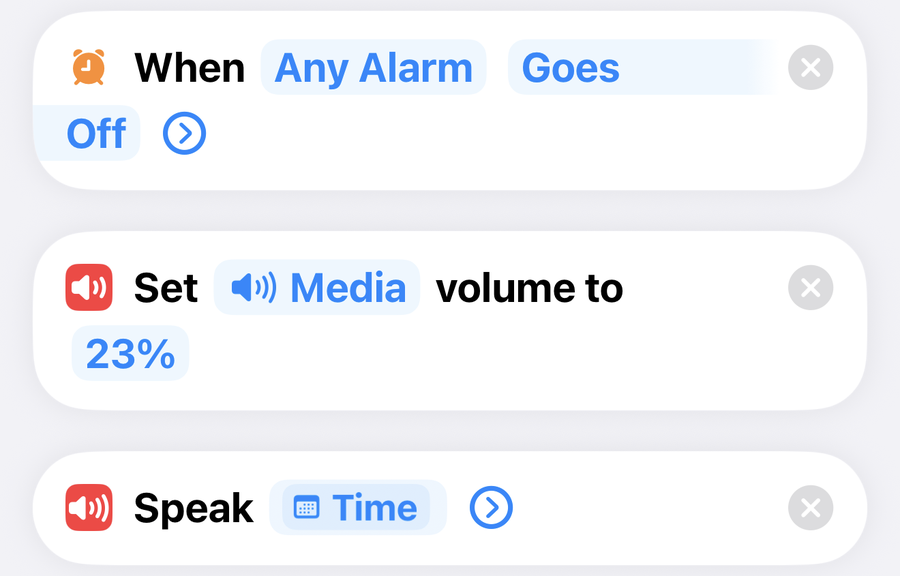
No trigger block at the top? Your iPhone is on iOS 26 or earlier, which leaves the trigger out of the link. Tap Automation at the bottom of the screen, then the plus, then Alarm. Pick Goes Off and Any, set it to Run Immediately, tap Next, then under Do pick the alarm time shortcut and tap Done. Skip step 3.
Still in the shortcut, tap the i at the bottom of the screen, then Privacy, and check Allow Running When Locked is on. Tap the back arrow, then the checkmark.
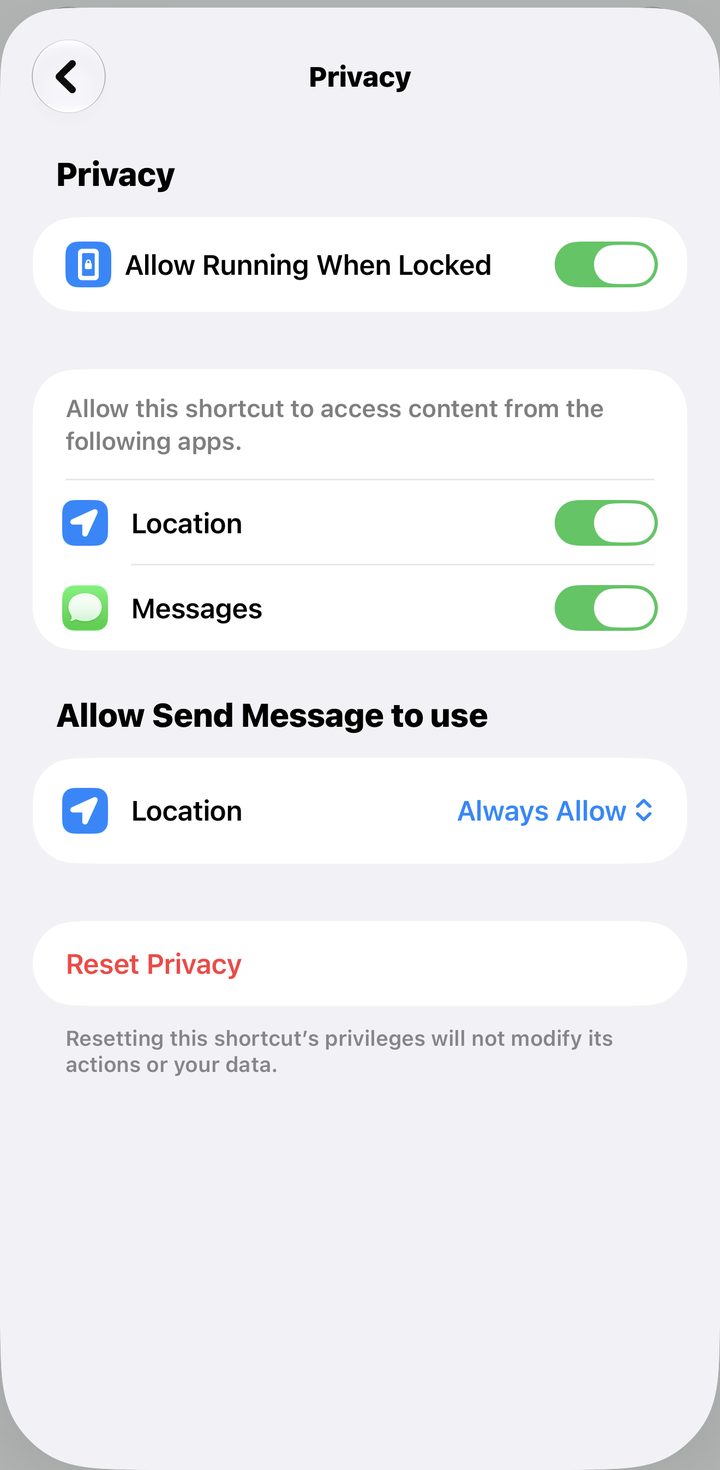
Test it. Set an alarm for two minutes from now and put the phone down. When it rings, you hear the time.
Good to know · making it yours
Tap Goes Off in the trigger to change it to Is Snoozed or Is Stopped. I use Goes Off, so if I turn the alarm off by accident instead of snoozing, I still hear the time. Tap Any Alarm to pick one alarm. I leave it on Any, since I run my real wake up plus a backup a little later, and this way it catches me either way.
Fix · nothing happens when the alarm goes off
Automations only run on their own if the shortcut is allowed to run without asking. On iOS 27, open the shortcut, tap the i, then Privacy, and check Allow Running When Locked is on. On iOS 26 or earlier, Automation tab, tap your automation, and the top of the sheet has to say Run Immediately. On Run After Confirmation it waits for you to notice a notification and tap it.
Fix · the voice is too quiet, or too loud
Tap the 23% in the volume action and change it. If turning it up changes nothing, Speak is following Siri's voice volume instead of media. Delete Speak and add these two under the volume action instead: Make Spoken Audio from Time, then Play Sound using that spoken audio. That routes the voice through media volume, so the number in the volume action actually works. Test it before you rely on it.
If you like a phone that talks first thing, you would like the morning text. In The Family Operating System your phone texts your partner and your kids the day's plan before anyone asks you what is happening. The shortcuts install from links and you swap in your family. One time purchase.
See The Family Operating System →