New · The quiet car
Your car starts quiet.
What it does: when your phone connects to the car, it pauses whatever you were listening to, so pickup does not start mid chapter.
The steps
Tap the link below on your iPhone and tap Add Shortcut. There are no questions. It arrives set to pause the moment CarPlay connects.
Get the Silent Car shortcut
Open it from your library. If you see a summary with a Describe a change box, tap Edit in the top right. The first block reads When CarPlay Is Connected.
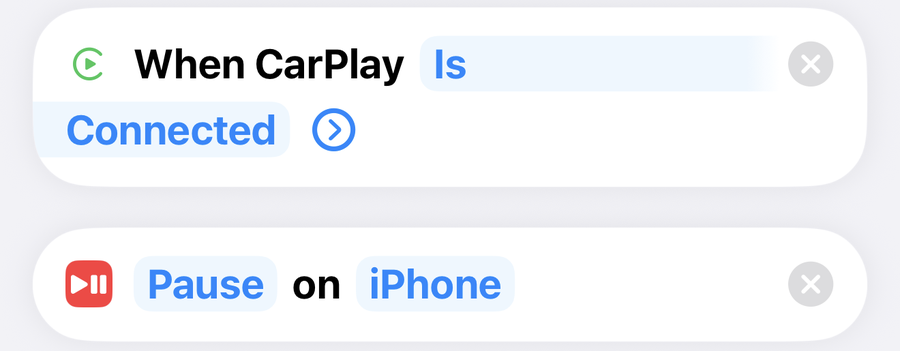
No trigger block at the top? Your iPhone is on iOS 26 or earlier, which leaves the trigger out of the link. Tap Automation at the bottom of the screen, then the plus, then CarPlay. Pick Is Connected, set it to Run Immediately, turn Notify When Run off, tap Next, then under Do pick Silent Car and tap Done. Skip step 3.
Still in the shortcut, tap the i at the bottom of the screen, then Privacy, and check Allow Running When Locked is on. Tap the back arrow, then the checkmark.
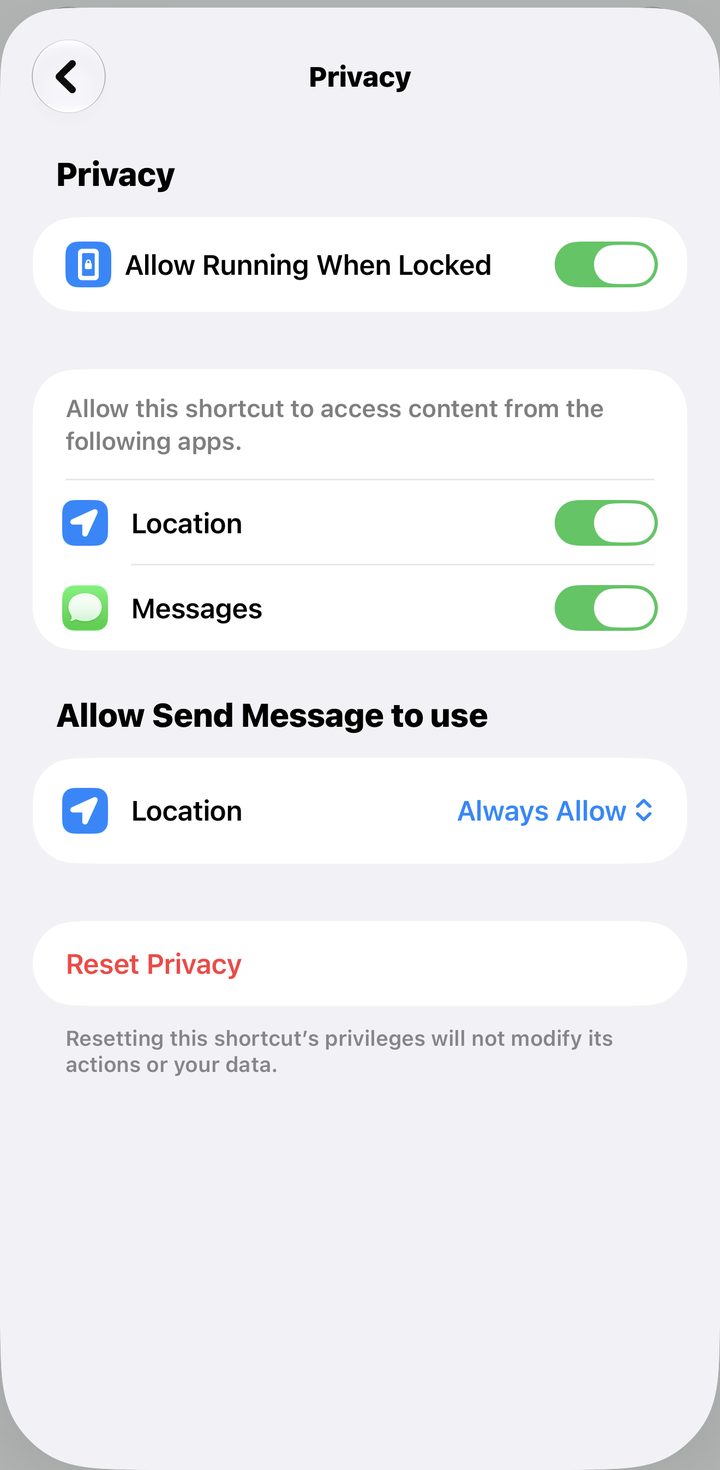
That is it. Next time you get in the car, it starts quiet.
Good to know · no CarPlay
If your car connects by Bluetooth instead, tap CarPlay in the trigger block, delete it, and add a Bluetooth trigger set to your car. Same Pause action underneath.
Fix · a few words slip out
Depending on the car, a few seconds can play before it catches, because the phone has to finish connecting first. That is the car, not the shortcut.
Fix · it did not pause
Automations only run on their own if the shortcut is allowed to run without asking. If you get a notification asking you to confirm, that is what is off. On iOS 27, open the shortcut, tap the i, then Privacy, and check Allow Running When Locked is on. On iOS 26 or earlier, Automation tab, tap your automation, and the top of the sheet has to say Run Immediately. On Run After Confirmation it waits for you to notice a notification and tap it.
If the school run is where you remember the thing you forgot, you would like this one. School Mail Triage takes the school email, finds every date in it, and puts them on your calendar with reminders, so the spirit day and the early dismissal are already there before you pull out of the driveway. One time purchase.
See School Mail Triage →