Find your lost phone
Text it Marco Polo and it sings back.
What it does: you text two words to your own phone and it lights up and plays a song at full volume until you find it, even on silent or Do Not Disturb.
The steps
Tap the link below on your iPhone and tap Add Shortcut. It asks What song do you want to play? Tap it and pick a song from your Music library. Pick one you have downloaded, so it plays even with no signal.
Get the Lost Phone Response shortcut
Check it is switched on. Open Lost Phone Response from your library. If you see a summary with a Describe a change box, tap Edit in the top right. The first block reads When I receive a message where Message contains Marco Polo.
Tap the trigger block. Automation should be on and Confirm Before Run off, like the picture. If a gray banner at the top says Automation is turned off, that is the Automation switch. Turn it on and the banner disappears.
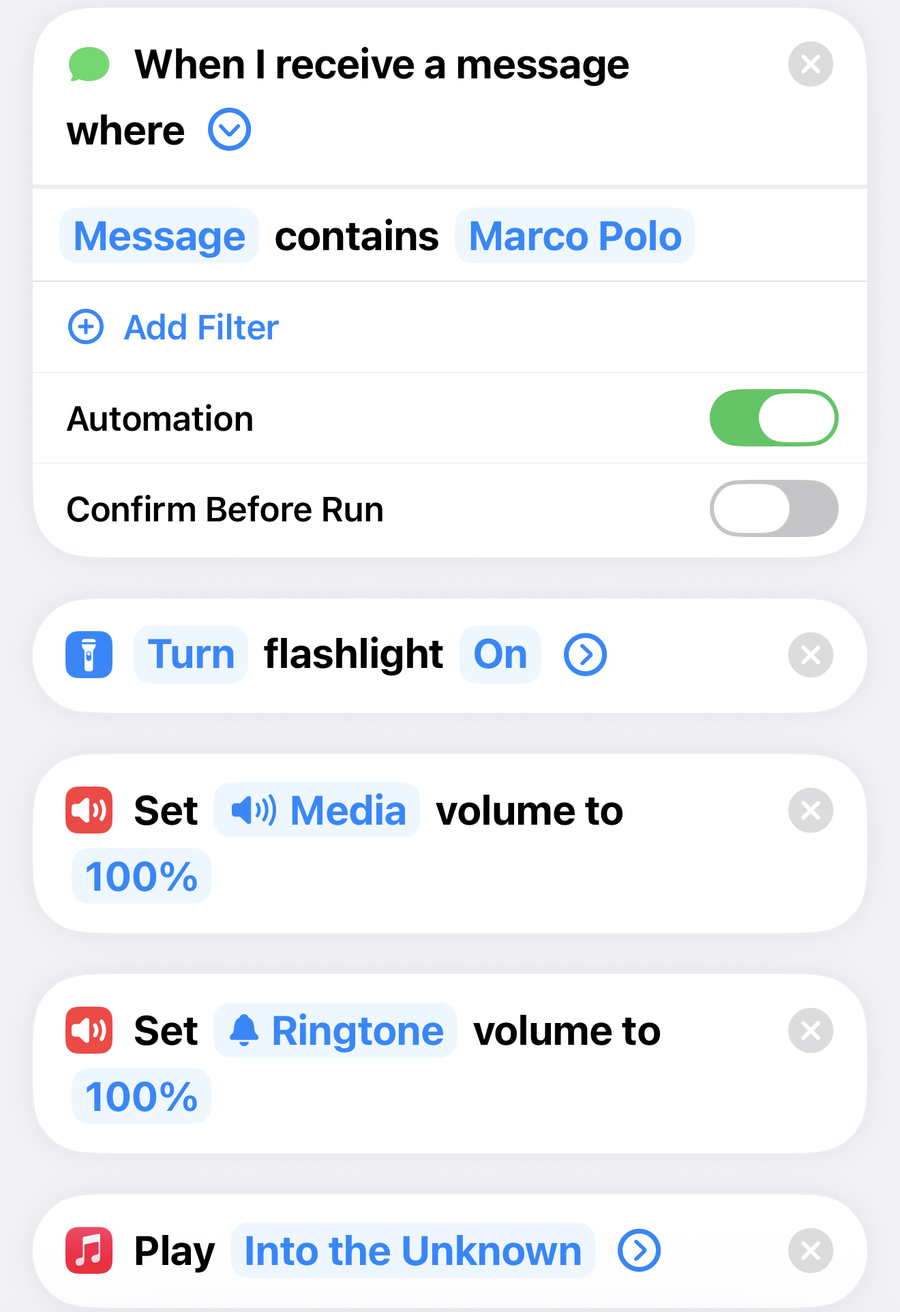
No trigger block at the top? Your iPhone is on iOS 26 or earlier, which leaves the trigger out of the link. Tap Automation at the bottom of the screen, then the plus, then Message. Set Sender to Any, tap Message Contains and type Marco Polo, choose Run Immediately, turn Notify When Run off, tap Next, then under Do pick Lost Phone Response and tap Done. Skip step 3.
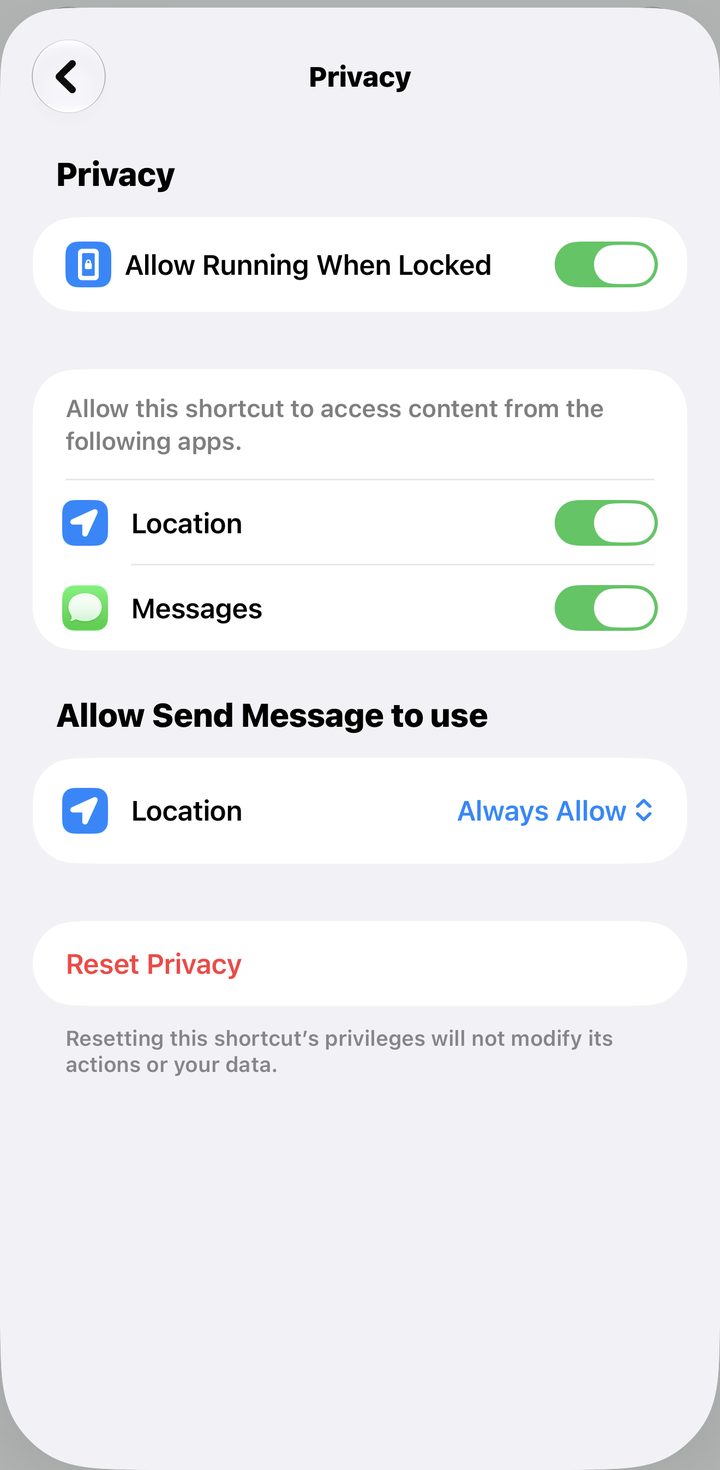
Still in the shortcut, tap the i at the bottom of the screen, then Privacy, and check Allow Running When Locked is on. Tap the back arrow, then the checkmark.
Test it by texting yourself Marco Polo from another phone.
Good to know · changing the words
Tap Marco Polo in the trigger block and type something else. Pick words you would never text or say by accident, skip real names and everyday words like "ok." A nonsense phrase like olly oxen free never goes off on its own.
Fix · it never asked me for a song
You tapped Skip Setup on the way in. Delete the shortcut from your library and add it again from the link, or tap the song in the Play action and pick one.
Fix · it will not play on silent
Check both volume actions are at 100 percent. Media volume is what plays over the silent switch. And make sure it is allowed to run without asking, or it waits for a tap on the lock screen. On iOS 27, open the shortcut, tap the i, then Privacy, and check Allow Running When Locked is on. On iOS 26 or earlier, Automation tab, tap your automation, and the top of the sheet has to say Run Immediately. On Run After Confirmation it waits for you to notice a notification and tap it.
Fix · how do I text it if I do not have my phone
You text your own number from any other device, or ask someone near you to text it. That incoming message is what sets it off, so your phone does not need to be in your hand.
Fix · how does it stop
It stops when you pick up and unlock the phone, and the song also ends on its own when the track finishes. If you want an off switch, add a Stop Playing action to a second automation triggered by a different word.
Fix · I have no song or music options
The action is Play Music and it pulls from the Music app, so pick a song you already have saved or downloaded. If the list is empty, open Music once and add or download a song first.
Fix · does it work on Android or Apple Watch
This uses the iPhone Shortcuts app, so it is iPhone only. You cannot start it from an Apple Watch, but any second phone or another person can text the words.