Mute social media when you open it
Open the app, the sound dies.
What it does: cuts the volume to zero the moment you open a social app, so the autoplay and the noise don't pull you in and hold you there.
The steps
Tap the link below on your iPhone and tap Add Shortcut. There are no questions. It arrives watching Facebook, TikTok, TikTok Studio and Instagram.
Get the Mute Social Media shortcut
Open it from your library. If you see a summary with a Describe a change box, tap Edit in the top right. The first block lists the apps. Tap the plus in that block to add another app, or tap one to take it out.
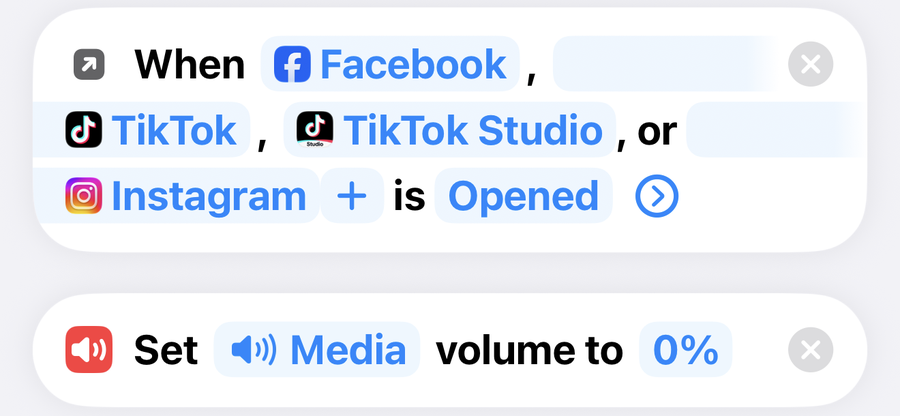
No trigger block at the top? Your iPhone is on iOS 26 or earlier, which leaves the trigger out of the link. Tap Automation at the bottom of the screen, then the plus, then App. Pick your apps, leave it on Is Opened, set it to Run Immediately, tap Next, then under Do pick Mute Social Media and tap Done. Skip step 3.
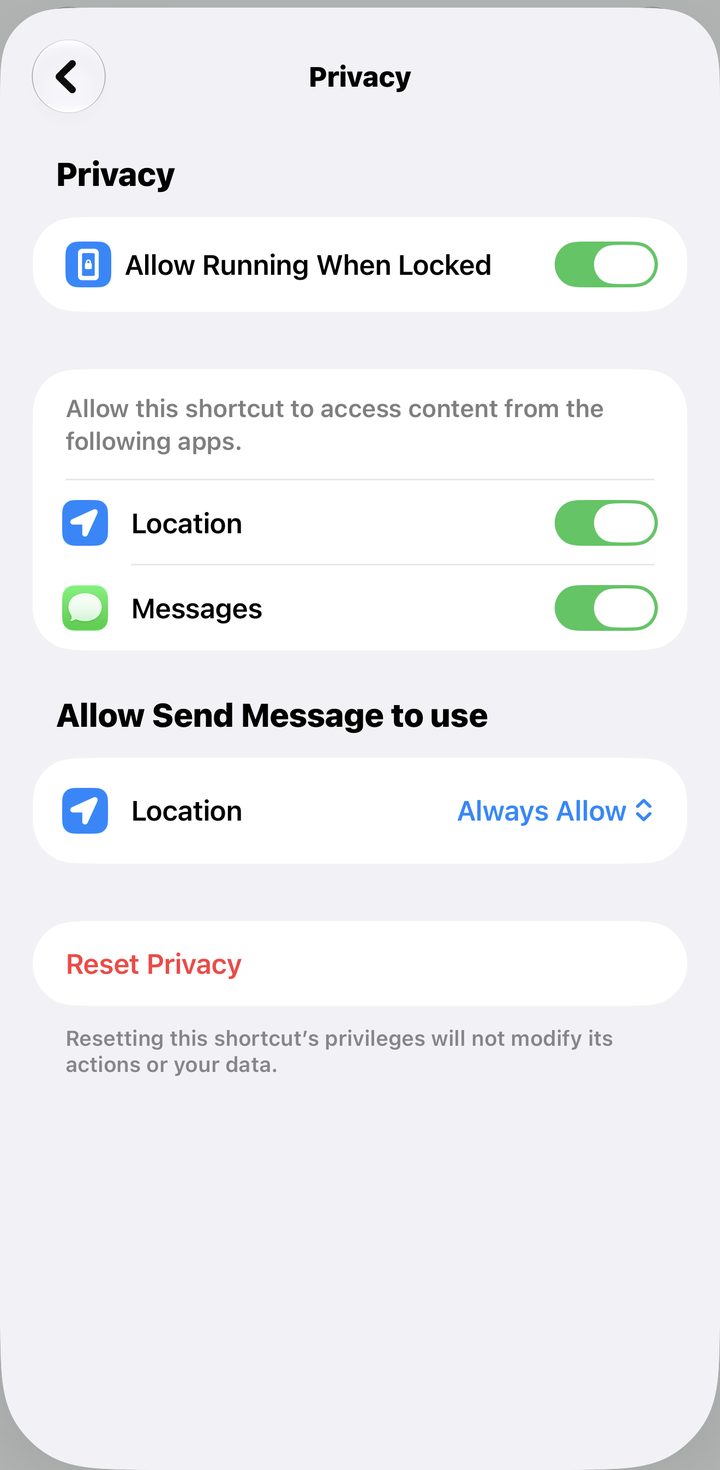
Still in the shortcut, tap the i at the bottom of the screen, then Privacy, and check Allow Running When Locked is on. Tap the back arrow, then the checkmark.
Fix · the sound stays off after I leave
That is by design, the volume stays where it was set. If you want it back, add a second automation the same way, with the App trigger set to Is Closed, that sets the volume back up.
Fix · it did not mute
Automations only run on their own if the shortcut is allowed to run without asking. If you get a notification asking you to confirm, that is what is off. On iOS 27, open the shortcut, tap the i, then Privacy, and check Allow Running When Locked is on. On iOS 26 or earlier, Automation tab, tap your automation, and the top of the sheet has to say Run Immediately. On Run After Confirmation it waits for you to notice a notification and tap it.